Open the pack.
Unzip the files and open AI_START_HERE.md. Start with the fictional example and choose the skill for the task you want to do.


For U.S. residential listing agents · English digital kit
Download the kit, then share the relevant files with your preferred AI assistant. Three included AI skills guide the work: prepare a listing draft, adapt it into marketing materials, and plan replies and follow-up. You supply the facts and review the results.
One payment. 7-day refund request window. No coding required.
Sign in to your account. Pay securely with Stripe, then download. Signing in does not charge you.
Your AI. A clear set of instructions.
A skill is a reusable instruction file. It tells your AI what information to ask for, what to draft and what to check. No coding or custom app is required.
Unzip the files and open AI_START_HERE.md. Start with the fictional example and choose the skill for the task you want to do.
Attach the skill and the relevant worksheet if your assistant accepts those files. Otherwise, paste their text into the conversation. The guide includes a first message you can copy.
Ask your assistant to follow the skill, identify missing information and prepare a draft. Check facts and permissions before using the result.
Use your preferred AI assistant; file support and results vary by tool and plan. Native skill installation is optional and only available in tools that support it. AI subscriptions are separate.
One source of facts. Several useful drafts.
Collect confirmed property details and flag what is missing. Keep a source for each claim instead of asking an AI assistant to fill the gaps.
Facts → Sources → Missing details
Draft and check the listing. Adapt the same facts for a social post, email and flyer using files you can edit.
Listing → Post → Email → Flyer → Review
Draft a client reply, record permission and assign the next task. Keep opt-outs, duplicate checks and stop conditions visible.
Question → Checked reply → Follow-up plan
Included with your US$49 purchase
Listing facts to drafts, marketing copy from reviewed facts, and client reply and follow-up review. Includes a start-here guide and practice material so you can see how each task works.
Property facts worksheet, listing review, post and email starters, an editable flyer, client reply and follow-up tracker. Includes a complete fictional example and a final review checklist.
Three practical AI workflows with copyable prompts, worked examples, sources and exercises. Keep the September 2026 PDF beside your work.
Image recipes, a visual brief and a clearly labeled fictional example. Check image rights and the final result before real use.
Download the launch files and skills as a ZIP. Edit the Word documents and PowerPoint flyer in compatible software; open the CSV trackers in your spreadsheet app. The start-here guides explain each file.
The files do not access your MLS or CRM, publish a listing or send a message. You verify facts, permissions and local requirements, then decide what to use.
This actual excerpt from the worked example connects each draft claim to a source. The property, people and records are fictional, for practice only.
Open the fictional worked example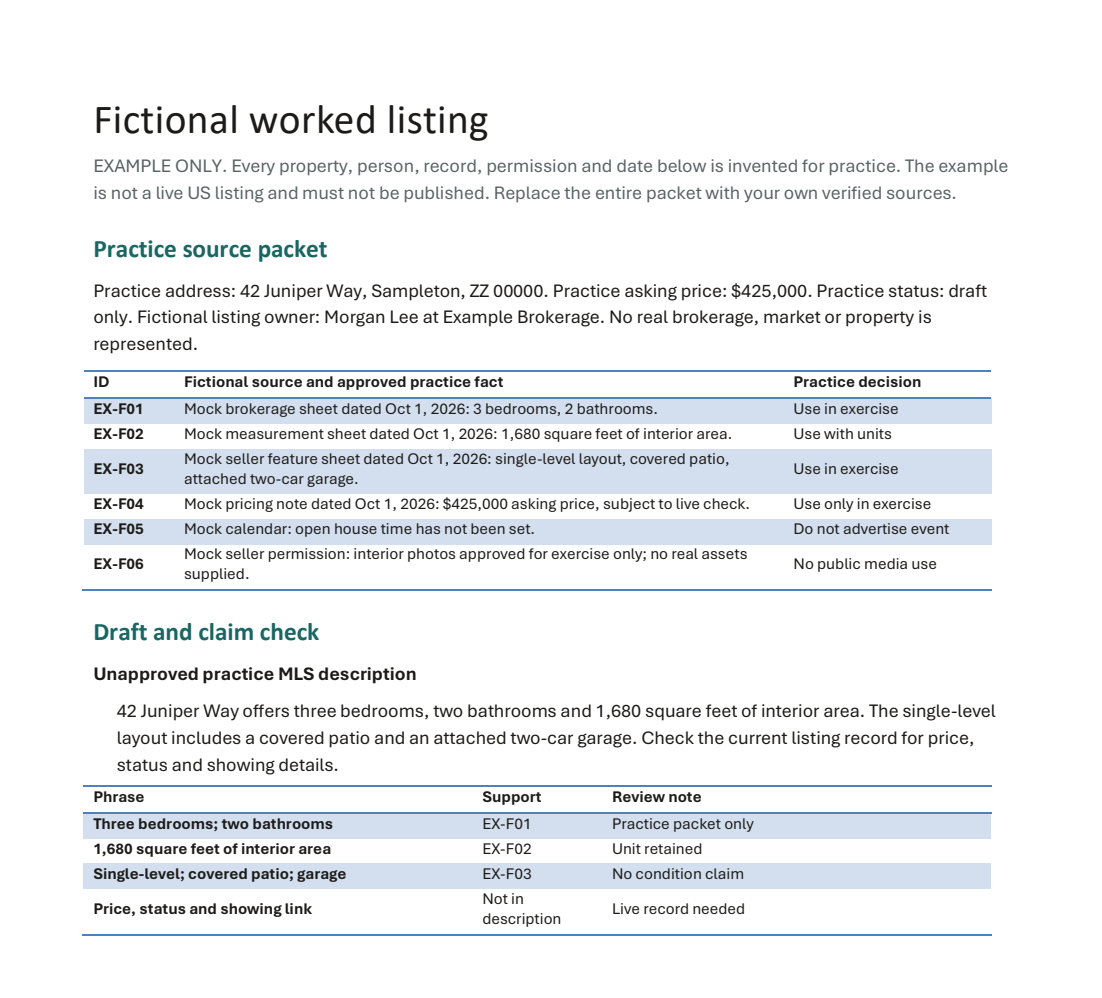
Built for doing
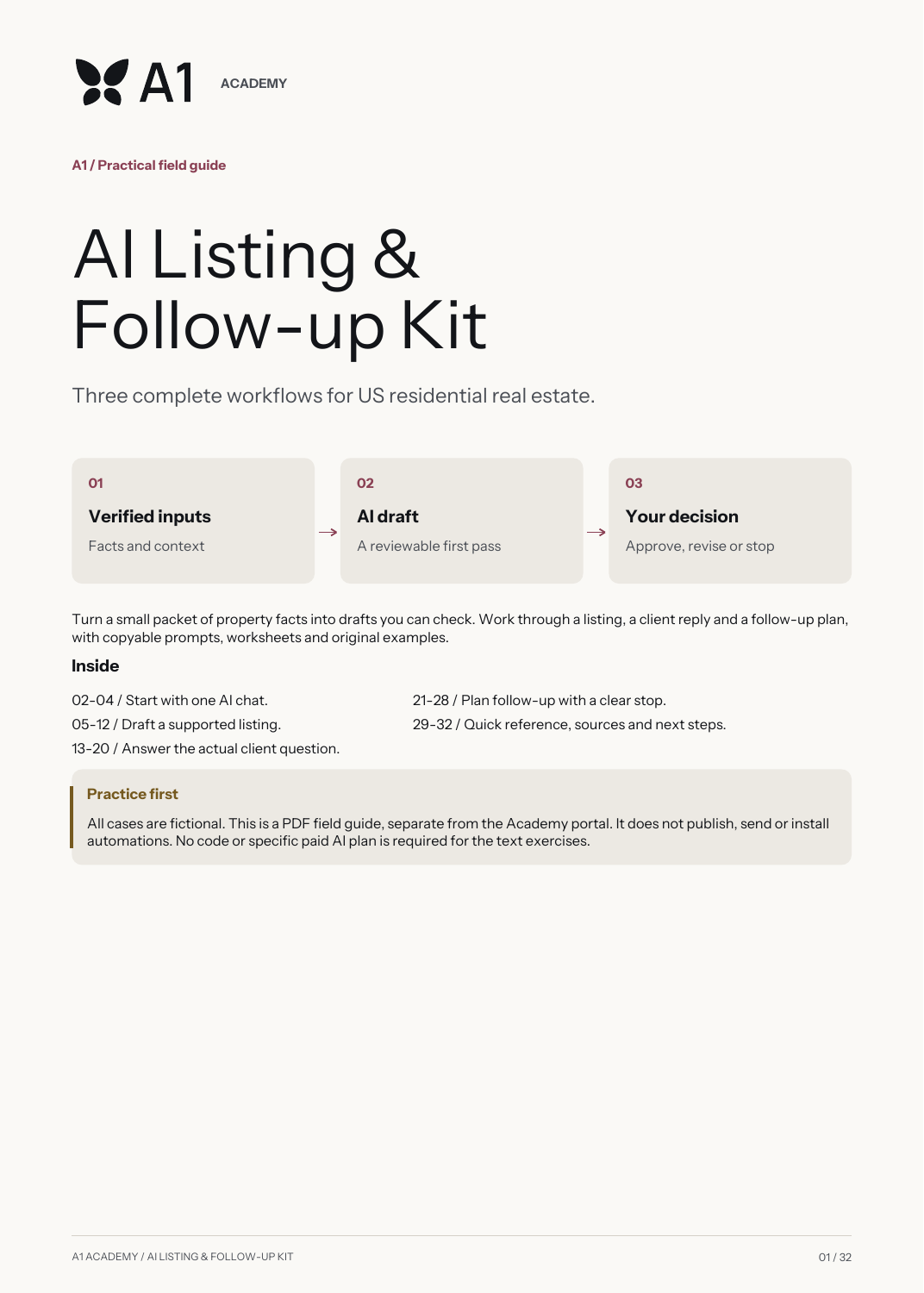
A field guide to keep beside your work.
English PDF with sources and examples. Use your preferred AI assistant.
Each workflow gives you a blank input sheet, a completed fictional example, a prompt you can copy, an annotated output and an exercise to adapt it to your work.
Use an AI assistant you already have. Tool subscriptions are separate. This kit provides drafting and planning methods; it does not connect to your CRM or send messages for you.
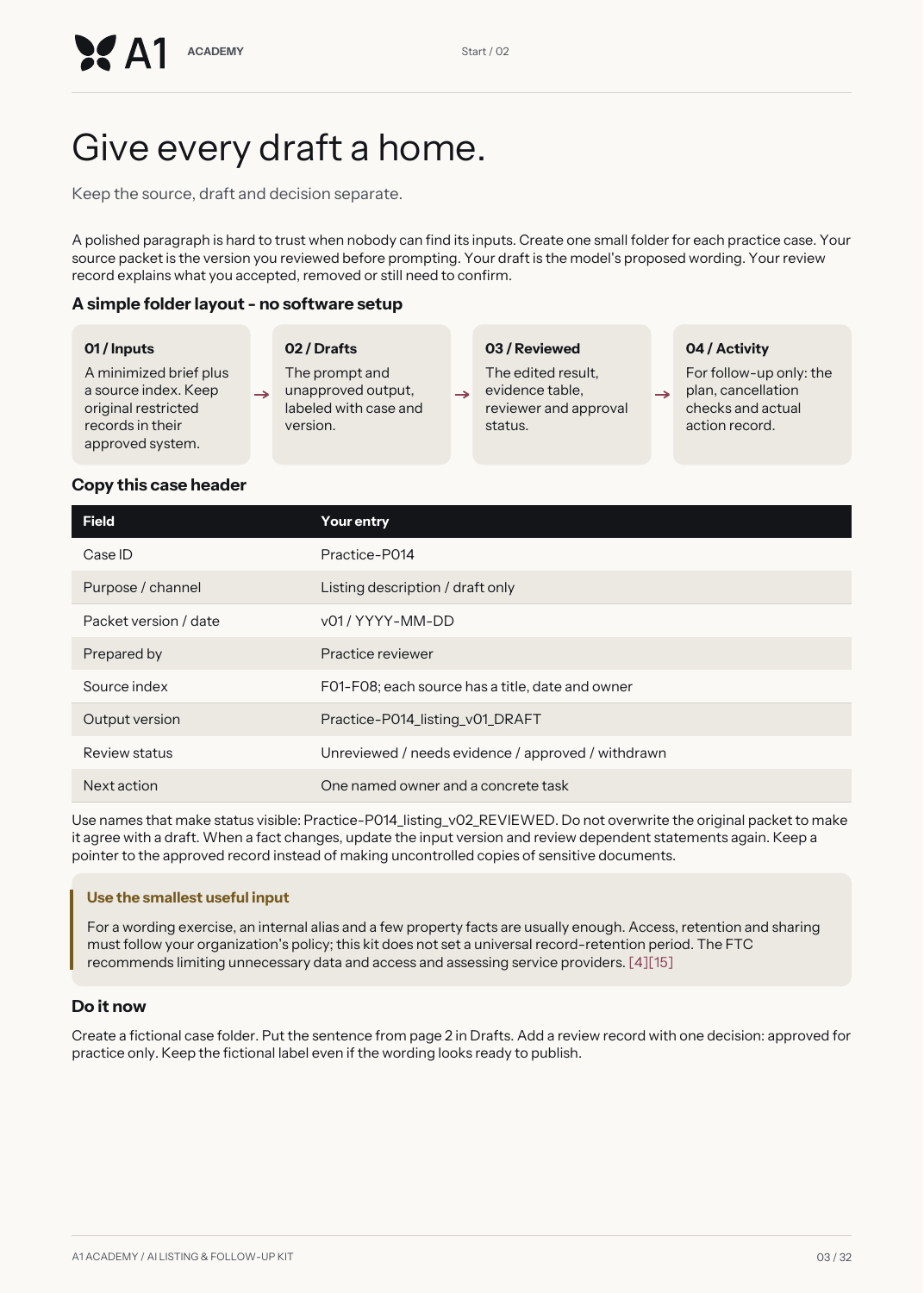
Included with your US$49 kit
Your Listing Visual Starter adds one room comparison, three image recipes and a brief you can edit. Start with a known scene. Change one thing. Check what stayed true.
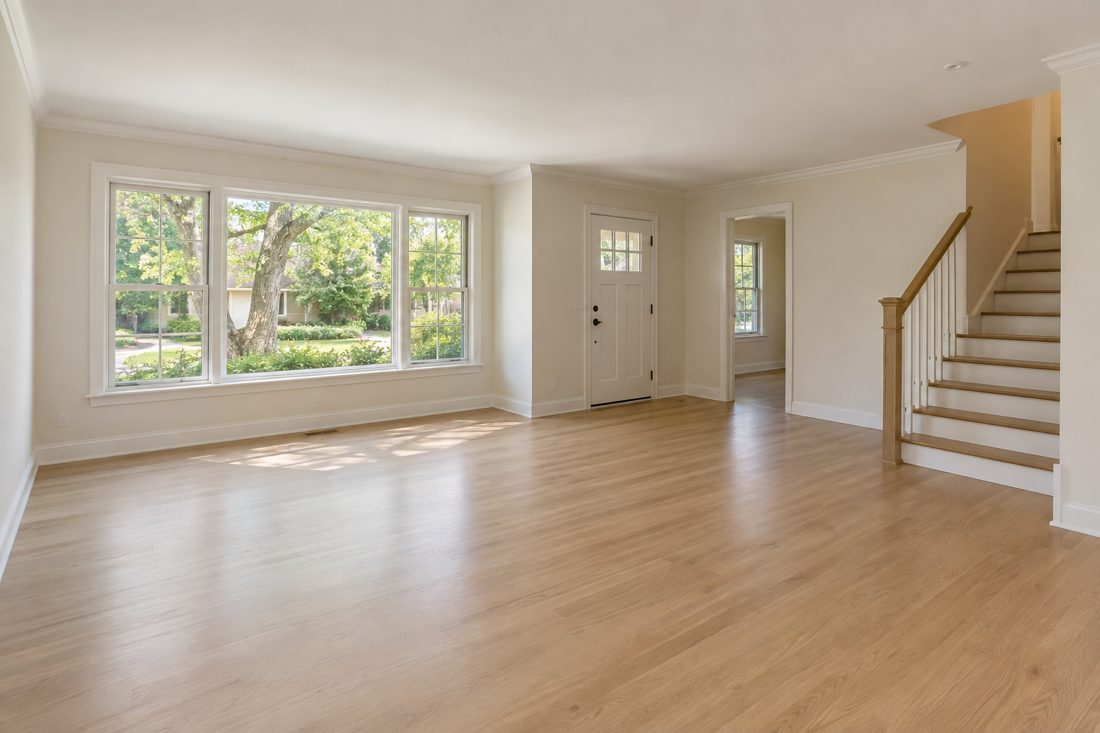
 Synthetic example · virtually staged
Use an authorized photo. Describe the permitted changes. Compare the result against the original. Keep the staging label with the final image.
Original A1 materials in English · PDF + editable visual brief. AI tools are separate. Examples are fictional and require professional review.
Start here. Go deeper when ready.
Buy the kit for US$49. If you later choose Core + US Real Estate, your eligible kit purchase gives you US$49 credit: pay US$48 more, for US$97 total.
The credit belongs to your account, has no artificial countdown and can be used once. A refunded kit cannot provide an unused credit. The kit does not include the Academy portal, lessons, skill map or feedback.
Want the complete learning path now? The US$97 Academy bundle includes this kit.
Read the kit, credit and refund terms. Need help? contato@a1solutions.ia.br.
AI Listing & Follow-up Kit + 3 AI skills + Launch Pack. No subscription or automatic renewal.
Full refund when requested within 7 days of your confirmed purchase.
Sign in with your A1 ID, then pay securely through Stripe. Use the same account to access your purchase. Signing in does not charge you.
Sign in to continue3 AI skills + editable kit US$49 once · 7-day refund window
Get the kit